
How to Maintain a Smart Lock: Batteries, Cleaning and Emergency Access
Keep your smart lock reliable with practical guidance on batteries, cleaning, door alignment, software updates and emergency access.
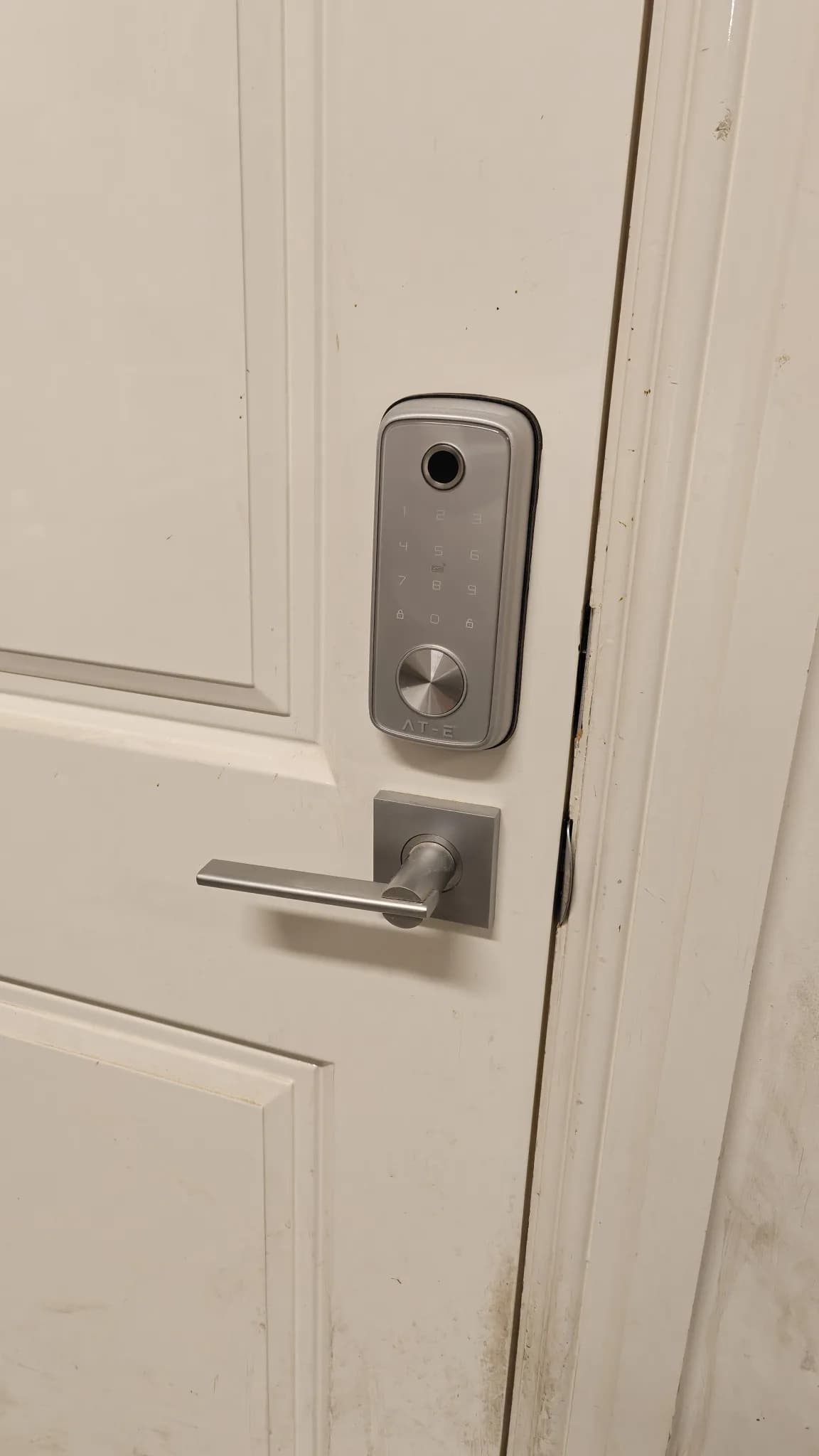
A smart lock is used several times a day, often in rain, heat and changing Melbourne weather. Like any device that combines moving parts, batteries, electronics and an app, it needs a small amount of routine care. Most problems do not begin with a dramatic failure. They begin with slower unlocking, a stiff door, delayed notifications, low-battery warnings that are ignored, or a backup method that has never been tested. A short maintenance routine can make the lock more reliable and reduce the chance of being caught outside when the battery is flat.
Why smart lock maintenance is different
A conventional lock is mainly mechanical. A smart lock also depends on power, sensors, user permissions and, for some functions, a gateway or internet connection. A door that has moved slightly in its frame can place extra load on the motor. Weak batteries can make operation slow or inconsistent. An outdated app can affect remote management even when local fingerprint or PIN access still works. Maintenance therefore needs to cover four areas: the door and latch, the power supply, the lock surface and moving parts, and the software and user accounts.
1. Pay attention to low-battery warnings
Do not wait until the lock stops responding. Replace batteries when the lock or app first gives a persistent warning, or when unlocking becomes noticeably slower. Use the battery type and quantity specified by the manufacturer, and avoid mixing old and new batteries or different brands and chemistries in the same set. After replacement, check that the battery cover is secure and test every normal entry method. If the app displays a battery level, confirm that it has updated. Battery life varies with usage, temperature, wireless signal strength, motor effort and enabled features, so a fixed replacement interval is less useful than monitoring the lock’s actual behaviour.
2. Check whether the door closes freely
A smart lock should not have to pull a misaligned door into position. With the door open, operate the lock and observe whether the bolt moves smoothly. Then close the door gently and check whether the bolt enters the strike plate without lifting, pushing or pulling the door. If the door has dropped, swollen, warped or shifted, the motor may work harder and batteries may drain faster. Do not repeatedly recalibrate or force the lock to compensate for a mechanical problem. Door alignment, hinges, latch position and the strike plate should be corrected first.
3. Clean the lock without damaging it
Wipe exterior surfaces with a soft, slightly damp microfibre cloth, then dry them. Remove dust and fingerprints from the keypad or fingerprint reader gently. Do not spray cleaning liquid directly onto the lock, battery compartment, keypad or seams. Avoid abrasive pads, strong solvents and excessive water unless the manufacturer specifically permits them. Outdoor locks should also be checked for water entry, corrosion, loose seals or damage after severe weather. If a mechanical key cylinder is included, use only a lubricant approved for that lock type; general-purpose oil can attract dust and create further problems.
4. Review the app, firmware and user list
Keep the lock app and supported firmware up to date. Updates may improve reliability and address security vulnerabilities. Review enrolled fingerprints, PINs, cards and app users several times a year. Remove access for former residents, cleaners, tradespeople or guests who no longer need it. Avoid one shared household PIN when the lock supports individual codes. Protect the administrator account with a unique password and multi-factor authentication where available. If the product has reached the end of manufacturer support and no longer receives security updates, plan for replacement rather than treating it as permanently safe.
5. Test emergency entry before you need it
Every household member who may need independent access should know the backup process. Depending on the model, this may be a mechanical key, an external emergency power port, a second authorised PIN, or local fingerprint access that continues without the internet. Store the backup key securely outside the locked premises, not in an obvious location beside the door. Test emergency power with the correct connector and confirm that it wakes the lock; it may provide temporary power rather than charge the internal batteries. Keep the installer’s details and the exact lock model somewhere accessible.
A simple smart lock maintenance schedule
- Monthly: notice whether the handle, latch and bolt move freely; check the app for warnings.
- Every three months: clean the keypad and fingerprint reader; inspect outdoor surfaces, seals and visible fixings; test the backup entry method.
- Every six months: review users, PINs and connected accounts; confirm software updates; inspect door alignment and the strike plate.
- Whenever someone moves out or access changes: remove their credentials immediately and check the activity history if the model provides one.
- After battery replacement or a software update: test fingerprint, PIN, app access, auto-lock and the inside emergency release.
Signs that need more than routine care
Arrange an assessment if the bolt repeatedly jams, the lock unlocks and immediately relocks, the handle becomes loose, batteries drain unusually quickly, the keypad has intermittent areas, water appears inside the battery compartment, or the door must be pushed into position to lock. A factory reset should not be the first response to a mechanical fault because it can erase users and settings without fixing the cause.
Conclusion
A smart lock should make daily entry easier, not create another household worry. Regular battery checks, gentle cleaning, correct door alignment, software updates and a tested emergency method cover most of the maintenance that matters. Austrend can inspect an existing smart lock, correct installation issues and help set up reliable access methods for every member of the household. Contact Austrend for smart lock advice and service in Melbourne.
Frequently asked questions
How often should smart lock batteries be changed?
There is no single interval for every model. Follow low-battery warnings and manufacturer guidance, and replace the full set together.
Can rechargeable batteries be used?
Only if the manufacturer explicitly supports the type and voltage. Some rechargeable cells behave differently from standard alkaline batteries.
Will the lock still work when Wi-Fi is down?
Many locks can still use local PIN or fingerprint access, but remote features may be unavailable. Confirm the behaviour of your model.
Should I lubricate the smart lock?
Do not apply general-purpose lubricant to electronic parts. If the mechanical cylinder or latch needs lubrication, use only a product recommended for that component.
What should I do before going on holiday?
Replace weak batteries, test backup entry, remove unnecessary temporary users, confirm notifications and make sure a trusted person has an authorised access method.
Tags
- Smart Locks
- Smart Lock Maintenance