
Video Doorbell vs Video Intercom: What Is the Difference and Which One Do You Need?
Compare video doorbells and full video intercom systems for visitor calls, indoor screens, gate release, multiple entrances, reliability and privacy.
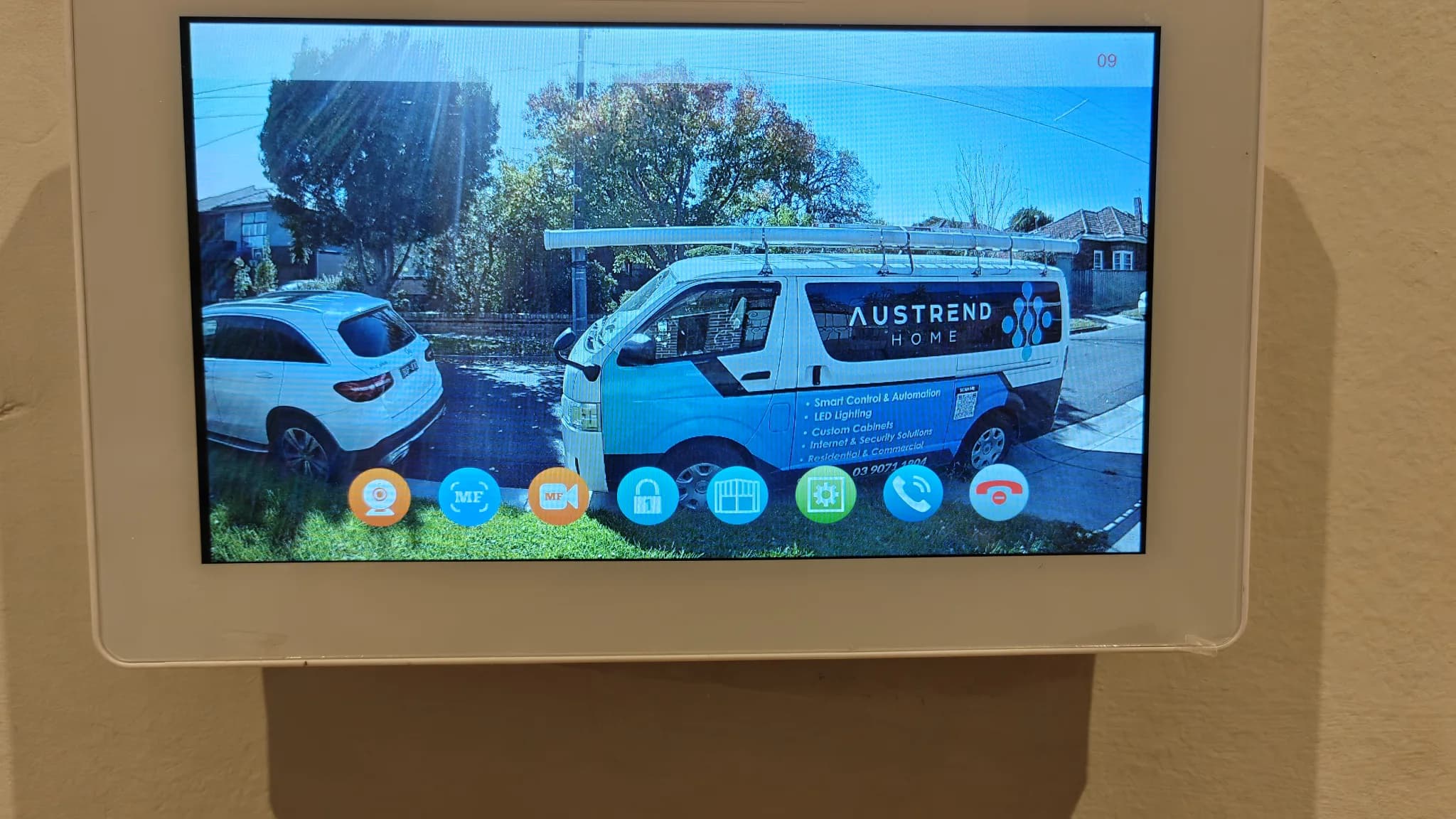
A video doorbell and a video intercom can both show who is at the entrance, but they are designed around different visitor journeys. A video doorbell is usually a compact, app-centred device at the front door. A full video intercom is a communication and access system that may connect a gate or entrance station with indoor screens, phones, multiple rooms and an electric lock. Choosing well starts with the location of the boundary and the action you want to take after answering.
The simplest distinction
Choose a video doorbell when the visitor is already at the house door and the main needs are notification, two-way conversation and entrance video. Consider a video intercom when visitors must call from a front gate, shared entry or reception point, when users need dedicated indoor screens, or when the system must release a pedestrian gate or door. Product names overlap, so assess functions rather than relying on the label on the box.
Video doorbells: strengths and limits
Video doorbells are often quick to learn and convenient for phone users. They can provide motion events, doorbell calls, two-way talk and recorded clips. Some use batteries, while wired models can offer more consistent power. Their limitations may include reliance on a phone, cloud service or subscription; delayed notifications; limited integration with a gate lock; and a small field of view that does not suit every entrance. Battery devices also need a realistic charging routine.
Full video intercoms: strengths and limits
A dedicated intercom can provide a clear call button at the property boundary, reliable indoor chimes and wall screens, communication between locations and controlled door or gate release. It can suit larger homes, multi-storey layouts, people who do not carry a smartphone, and entrances set back from the house. Installation is more involved: power, data or intercom cabling, electric locking, door safety, network design and weather exposure need to be considered together.
Indoor screen, app or both?
A wall-mounted screen gives the household a fixed place to answer calls and can remain simple for children, guests or older residents. An app allows calls to follow authorised users around the property or away from home. Many households benefit from both, but the system should define what happens when several people answer, when internet access is unavailable and who may release the door remotely. Avoid giving every user administrator rights.
Gate release changes the design
Viewing and talking are low-risk compared with remotely unlocking a gate or door. An electric strike, magnetic lock or gate controller must suit the physical entrance and preserve safe exit. The installer should confirm door alignment, power supply, release timing, entry and exit methods, and behaviour during power or network failure. The system should never depend on a consumer app alone for required egress.
Image and audio quality must be tested at the real entrance
A high resolution specification does not guarantee a useful visitor image. Test backlighting, night illumination, camera height, viewing angle, microphone and speaker volume, wind noise and the distance between the visitor and station. The call button should be obvious and reachable. At a gate, the camera may need a narrower identification view than a doorbell designed to observe parcels near the doorstep.
Network, power and cabling
Battery doorbells reduce installation work but require charging and may conserve power by recording selectively. Wired doorbells need a compatible supply. IP intercoms may use Ethernet and Power over Ethernet, while other systems use dedicated two-wire or multi-wire connections. Reliable Wi-Fi at the front wall cannot be assumed. For renovations or new gates, planning conduit and cable routes early can improve reliability and serviceability.
Privacy and account security
Aim cameras at the entrance area needed for security and avoid unnecessary coverage of neighbouring homes or private areas. Decide who can view live video, recorded clips and call history. Use individual accounts, strong unique passwords and multi-factor authentication where available. Keep apps and device firmware updated, remove former users and understand whether recordings are stored locally, in the cloud or both.
Choose by the visitor journey
Walk through the real sequence: Where does the visitor stop? Can they find the call button? Who hears it inside? Does somebody need to answer without a phone? Must a gate open? How does a resident enter when returning home? What happens for deliveries? What works if the internet is down? How will an electrician or technician service the system later? This short exercise usually reveals whether a doorbell or intercom architecture is appropriate.
Conclusion
A video doorbell is often an effective front-door communication device; a video intercom is a broader entrance and access system. Austrend can assess the gate, front door, network and household workflow, then recommend a system that is reliable and easy to use. Contact Austrend for video-doorbell and video-intercom advice in Melbourne.
Frequently asked questions
Can a video doorbell open a gate?
Some can integrate with third-party devices, but compatibility, security and safe operation need assessment. A dedicated intercom often handles access control more directly.
Do I need an indoor screen?
Not always. It is valuable when users should answer without a phone or when a fixed, always-available interface is preferred.
Can calls ring several phones?
Many systems support multiple users, but check simultaneous calls, permissions and notification reliability.
Will it work without Wi-Fi?
This depends on the architecture. Some wired intercom functions continue locally, while app and remote features may stop.
Can I reuse existing intercom wiring?
Sometimes. The cable type, condition, route and chosen system must be inspected first.
Tags
- Video Intercoms
- System Selection